
If your PC in 1170 Hernals no longer starts and gets stuck on the manufacturer's logo, it's often a big scare: you press the power button, the logo appears – and then nothing happens. Especially if important files, work documents, photos or programs are on the computer, you shouldn't just randomly try things. Often, a software problem, a faulty update, a boot error, or even a nascent hardware defect is behind it. ClickInternet helps you in Vienna quickly, easily, and without an appointment, so your PC boots up reliably again.
What to do if your PC doesn't start (gets stuck on the logo)? Immediate Measures
- Completely shut down the PC, wait at least 30 seconds, and then restart it. Sometimes the startup process gets stuck due to a temporary error.
- Unplug all unnecessary USB devices, such as external hard drives, printers, USB sticks, card readers, or controllers. A defective accessory can block the boot process.
- Briefly disconnect the PC from power. For a laptop, if possible, also unplug the power supply and hold the power button for a few seconds to discharge residual power.
- Do not constantly restart the PC in quick succession if it repeatedly gets stuck on the logo. Repeated hard restarts can worsen file system errors or endanger data.
- If important data is on the device, avoid experiments with reinstallation, resetting, or formatting. Instead, come directly to ClickInternet for a free diagnosis.
Why "PC won't start (gets stuck on logo)" needs professional help
If a PC gets stuck on the logo, the cause can lie in the BIOS or UEFI, the bootloader, on the SSD or hard drive, in the RAM, with Windows system files, or even the motherboard. Self-repair is risky because incorrect BIOS settings, forced repair attempts, or an ill-considered reinstallation can quickly lead to data loss. A professional diagnosis checks step by step whether a software error, a defective data carrier, a driver problem, or a hardware defect is present.
- The PC only shows the manufacturer's logo and does not load Windows further.
- The spinning circle never stops or the screen remains black after the logo.
- After a Windows update, the computer no longer starts correctly.
- The PC hangs during booting, restarts, or no longer responds to keyboard commands.
ClickInternet: Your expert for "PC won't start (gets stuck on logo)" in Vienna
From 1170 Hernals, our two Vienna branches in 1050 Margareten and 1090 Alsergrund are easily accessible by subway or car. At ClickInternet, you can simply drop by without an appointment – our team will look at your PC, laptop, or MacBook directly and explain to you clearly what's going on. Many repairs and software problems are typically handled with express service in about 60 minutes, depending on the error, spare parts, and diagnosis. Especially with startup problems, quick help is essential so you can use your device again soon for work, school, studies, or personal matters.
ClickInternet is an A1 partner and offers professional support for PC problems, laptop repair, MacBook repair, data recovery, and software errors. Our diagnosis is free: We check your device on-site, find the cause, and honestly tell you what solution makes sense. If, for example, there is only a damaged Windows boot environment, software repair can often help. However, if the SSD, hard drive, or another component is affected, we will discuss the next steps with you – transparently, fairly, and without unnecessary repairs.
What does "PC won't start (gets stuck on logo)" cost at ClickInternet?
The cost depends on why your PC gets stuck on the logo. A pure software problem is, of course, different from a defective data carrier, a RAM error, a damaged motherboard, or necessary data recovery. That's why we first perform a free on-site diagnosis and tell you the exact price before we start the repair. You only decide afterward whether we can proceed – without hidden costs, without surprises, and without invented flat rates.
Short waiting time? Take passport photos with you!
While your device is being repaired, you can use the waiting time: We offer biometric passport photos ready for immediate pickup – only EUR 12.90 for 6 professional photos. Perfect for passports, driver's licenses, residence permits, or e-cards.
PC won't start (gets stuck on logo) in 1170 Hernals - Come by now!
If your PC in 1170 Hernals gets stuck on the logo, don't wait until a startup problem turns into data loss. From 1170 Hernals, our two Vienna branches in 1050 Margareten and 1090 Alsergrund are easily accessible by subway or car. You can find us at our 1050 Margareten branch, Reinprechtsdorfer Straße 70, open Monday to Thursday from 10:00 AM to 8:00 PM and Saturday from 10:00 AM to 7:00 PM. Our second branch is at 1090 Alsergrund, Fuchsthallergasse 2, open Monday to Thursday from 9:30 AM to 8:00 PM and Saturday from 9:30 AM to 7:00 PM. Just come by without an appointment, bring your PC or laptop, and we'll provide a fast, honest, and professional solution.
Frequently asked questions about "PC won't start (gets stuck on logo)"
How long does the repair take?
Most repairs are done on-site in about 60 minutes. You can wait for it or grab a coffee.
What does the repair cost?
We first perform a free diagnosis and tell you the exact price before we start. No hidden costs.
Do I need an appointment?
No! Just come by without an appointment - to our branch in 1050 Margareten or 1090 Alsergrund. We will help you immediately.
Is there a warranty on the repair?
Yes! As a certified A1 partner, we offer you first-class service with a warranty on all repairs performed.
What if my device is irreparable?
We will inform you honestly and discuss alternatives - for example, a tested refurbished device from our shop.
Wähle deine Filiale in Wien
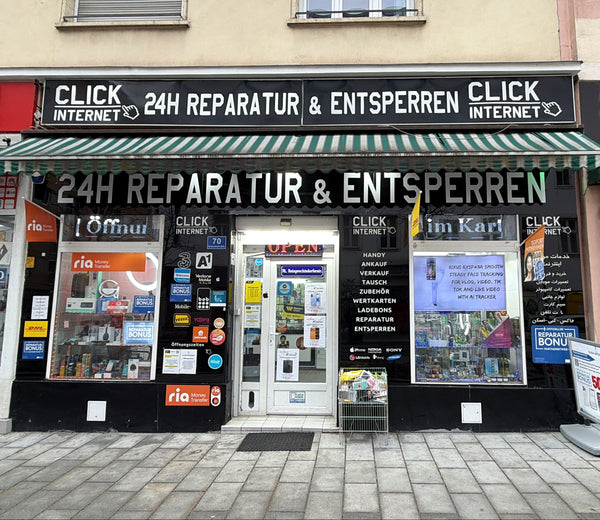
Filiale Margareten
Reinprechtsdorfer Straße 70
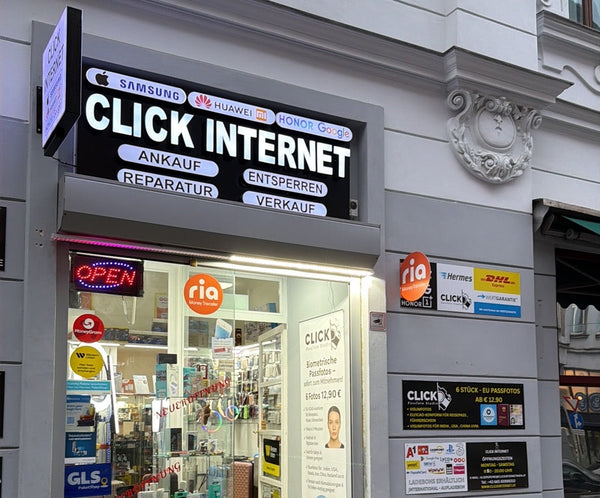
Filiale Alsergrund
Fuchsthallergasse 2 1090 Wien
Gerät defekt? Wir retten es!
Komm einfach ohne Termin in eine unserer Filialen in Wien. Wir bieten Express-Reparatur und Reparaturbonus zum Bestpreis.
Jetzt Kontakt aufnehmen
Was sagst du dazu?