
If your laptop in 1100 Favoriten is extremely slow and the fan is constantly glowing, it's not just annoying but often a warning sign. Frequently, dust in the cooling system, old thermal paste, overloaded software, a faulty fan, or a damaged hard drive are behind it. Especially if the laptop gets hot, programs freeze, or the device suddenly shuts down, you shouldn't wait too long. ClickInternet helps you in Vienna quickly, easily, and without an appointment, with professional laptop diagnosis and repair.
What to do if your laptop is extremely slow & the fan is glowing? Immediate Actions
- Don't immediately turn the laptop back on repeatedly if it gets extremely hot or shuts down by itself. Let it cool down first to avoid additional strain on the motherboard, battery, and processor.
- Place the device on a hard, flat surface. Soft surfaces like a bed, couch, or blanket often block the ventilation slots and worsen the overheating problem.
- Close unnecessary programs and open the Task Manager to check if a process is constantly hogging CPU, RAM, or disk usage. If everything is stuck at 100 percent, a precise diagnosis is advisable.
- Do not attempt to spray compressed air wildly into the ventilation. This can push dust deeper into the cooling system or damage the fan if it spins uncontrollably.
- Back up important data if the laptop still starts. Slow response, clicking noises, blue screens, or sudden crashes can also indicate SSD, HDD, or software problems.
Why an extremely slow laptop & glowing fan needs professional help
An overheated and extremely slow laptop is often not a single problem but a combination of thermals, hardware wear, and software load. Terms like thermal paste, heat pipe, heatsink, BIOS temperature readings, SSD health, RAM utilization, or malware scan are crucial here to find not just the symptom but the cause. Self-repairs can be risky because delicate ribbon cables, fan connectors, battery connectors, or motherboard components can be easily damaged when opening the device.
- The fan is constantly running at full power, even though only a few programs are open.
- The laptop becomes unusually hot on the keyboard, underside, or near the charging port.
- Windows or macOS starts slowly, programs respond with delay, or freeze completely.
- The device suddenly shuts down, displays error messages, or no longer starts correctly after updates.
ClickInternet: Your expert for extremely slow laptops & glowing fans in Vienna
From 1100 Favoriten, our two Vienna branches in 1050 Margareten and 1090 Alsergrund are easily accessible by subway or car. At ClickInternet, you can come without an appointment, your laptop will be checked directly on-site, and many repairs are done as express service, usually within about 60 minutes. Whether it's fan cleaning, thermal paste replacement, SSD check, RAM test, Windows optimization, virus scan, or data recovery: We will carefully examine your device and explain clearly what's wrong.
ClickInternet is an A1 partner and stands for reliable service, clean work, and honest advice. Diagnosis is free with us before we begin any repair, so you know exactly what is causing your slow laptop and glowing fan.
How much does an extremely slow laptop & glowing fan cost at ClickInternet?
The costs depend on whether your laptop only needs cleaning and optimization or if a component such as the fan, SSD, battery, or another module is affected. Therefore, we first perform a free on-site diagnosis and give you the exact price before we start. At ClickInternet, you get fair prices, transparent advice, and no hidden costs. We don't invent lump sums that don't fit in the end; instead, we carefully examine your device and honestly tell you which solution makes sense.
Short waiting time? Get your passport photos taken right away!
While your device is being repaired, you can use the waiting time: We offer biometric passport photos available immediately - only 12.90 EUR for 6 professional photos. Perfect for passports, driver's licenses, residence permits, or e-cards.
Laptop extremely slow & fan glowing in 1100 Favoriten - Come by now!
If your laptop in 1100 Favoriten is running hot, humming loudly, and getting slower and slower, it's best to come directly to ClickInternet. From 1100 Favoriten, our two Vienna branches in 1050 Margareten and 1090 Alsergrund are easily accessible by subway or car. You can find us at Reinprechtsdorfer Straße 70, 1050 Margareten, open Mon-Thu 10:00-20:00 and Sat 10:00-19:00, and at Fuchsthallergasse 2, 1090 Alsergrund, open Mon-Thu 9:30-20:00 and Sat 9:30-19:00. No appointment is needed: Just bring your laptop, we will check it for free and help you quickly. The sooner we find the heat problem, the better the chances of saving your device's data, performance, and lifespan.
Frequently Asked Questions about extremely slow laptops & glowing fans
How long does the repair take?
Most repairs are done on-site
in approx. 60 minutes. You can
wait for it directly or go for a
quick coffee.
What does the repair cost?
We first perform a free diagnosis
and tell you the exact price before we
start. No hidden costs.
Do I need an appointment?
No! Just come by without an appointment -
to our branch in 1050 Margareten or
1090 Alsergrund. We'll help you immediately.
Is there a warranty on the repair?
Yes! As an A1 partner, we offer
first-class service with a warranty
on all repairs performed.
What if my device is irreparable?
We will inform you honestly and discuss
alternatives - for example, a certified
refurbished device from our shop.
Wähle deine Filiale in Wien
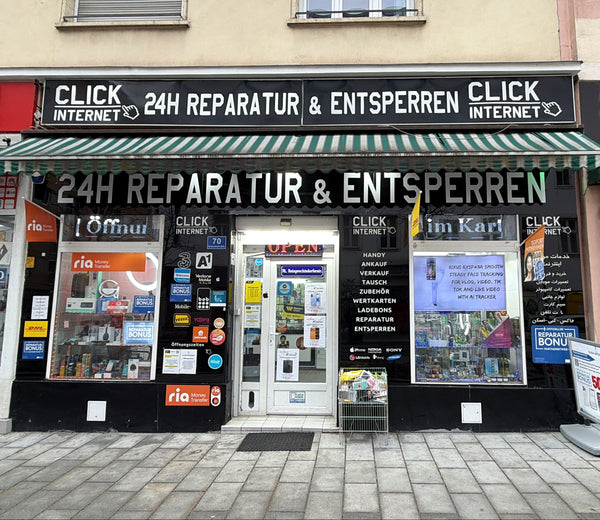
Filiale Margareten
Reinprechtsdorfer Straße 70
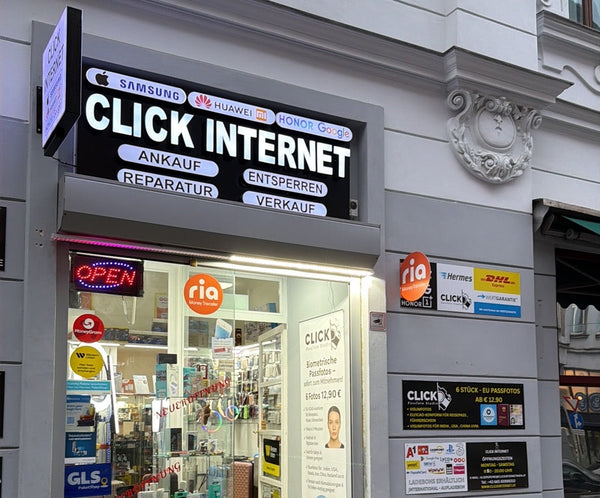
Filiale Alsergrund
Fuchsthallergasse 2 1090 Wien
Gerät defekt? Wir retten es!
Komm einfach ohne Termin in eine unserer Filialen in Wien. Wir bieten Express-Reparatur und Reparaturbonus zum Bestpreis.
Jetzt Kontakt aufnehmen
Was sagst du dazu?